The Great Build Time Trial
Status checked
The Great Build Time Trial is the Roblox event challenge for the Cloudbreaker Horns. To earn the accessory, complete the timed side quest when it opens. On November 26, the reward was on display in the hub, but a playable route had yet to be documented. Here’s how to find the display, check what’s available and tell whether Roblox recorded your finish.
Where is the Time Trial in the hub?
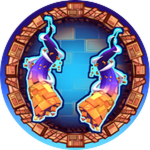
Enter The Great Build by Roblox Presents. Look along the reward lane on the left of the tower, near the Skybound Monarch display. The name you’re looking for is Cloudbreaker Horns. Gamezebo photographed the horns as a dark silhouette on their own podium during its November 26 visit. If the silhouette is hard to make out on a small screen, use the item name on the display to identify it. See the in-game podium photo.
Once you reach the display, read the prompt you actually have. An instruction to start the Time Trial is your cue to read the objective and begin. If the display only names the prize, you can return to the official hub later. The published directions identify the reward lane. The location of a start line, a sequence of checkpoints and a target time in seconds were still unconfirmed at the time of the check above.
How can I tell whether the trial has opened?
At our check, Roblox’s public record for the Cloudbreaker Horns badge showed 0 total awards. For comparison, Skybound Monarch, the obstacle-course badge in this same experience, already showed more than two million. Those numbers count awards across players. A zero means that Roblox had recorded no awards for the horns at that time. If that count rises, someone has received the badge. You can then look for entry instructions in your own session. Cloudbreaker Horns badge · Skybound Monarch badge.
There are two other numbers you might see while you wait. The timer at the block dispenser counts down to your next Gratitude Block. The big sign in the hub counts community contributions toward the next tower reward. You can use both while playing the event, but neither gives a start time for the trial. Roblox’s published event window ends on November 30 at 08:00 UTC. A separate opening hour for this challenge has yet to be confirmed. App Store event schedule.
Which activity earns the horns?
Check the reward name if you’ve finished a challenge and received something unexpected. Skybound Monarch comes from the obstacle course. Cloudtop Tower comes from the scavenger hunt. Cloudbreaker Horns is the reward paired with the Time Trial. Finishing the obstacle course is useful if you want its wings, and you can do it on the same visit. Your wings record that separate achievement. Event side quests and their rewards.
The same distinction helps when you’re following a friend or a video. Look at the challenge name where the run begins and the item name shown when it ends. A fast climb up the tower can show you how another player moves through the hub. To use their time as a target for this particular challenge, look for a Time Trial objective or result on their screen.
Where do I check my badge and equip the reward?
After a successful run, open your Roblox inventory on the account you played with and choose Badges. Look for Cloudbreaker Horns. This is the personal record of your finish. If the badge is missing, check the username at the top of your inventory, especially if you share a phone or computer with another player. Roblox’s guide to finding earned badges.
To put the horns on your avatar, open the Avatar Editor and look under Recent or the hat category. Select the wearable to equip it. If you can see the badge but cannot find the hat, return to the horns display on that account and check for an in-game claim prompt. On a phone, you can also select the accessory in your inventory to find its wear option. Browser avatar instructions · Mobile avatar instructions.
If the item you’re looking at has a different name, the event reward list pairs each of the ten badges with its matching avatar item.