How to Claim The Great Build Items
Checked
To claim The Great Build items from the tower milestones, place five Gratitude Blocks of your own and visit the podium for the item you earned. The first item, Brickle & Pebble, takes those five blocks. The later tower items also need a community milestone. At the podium, press E on a keyboard or tap the claim prompt on a phone.
Find my item’s inventory category ↓
Which stand should I use?
Join The Great Build by Roblox Presents on the account that placed the blocks. In the hub, find the podium bearing the name of the accessory you want. To collect Brickle & Pebble, for example, look for that exact name. If a friend points out a newly unlocked hat, read the hat’s label before using the prompt. Each display corresponds to a particular prize. See the claim area in the illustrated event guide.
For a tower milestone, check two things before you walk over. How many blocks have you personally sent up? Has the shared tower reached the target for this accessory? Imagine the tower has already passed the Patchbrick Cap target when you arrive with four blocks placed. Your next contribution brings your own total to five, and you can then visit the cap’s stand. You can use those same contributions for later tower milestones. The homepage reward list gives the target for each item.
What should I check if the prompt says “Failed to claim”?
Start with the activity printed beside the prize. The five-block requirement applies to the tower rewards. A challenge accessory has its own condition. If you have placed five blocks and are standing at Skybound Monarch, for instance, the next thing to check is whether you finished the obstacle course. For Cloudbreaker Horns, check the Time Trial guide. The two Brick Circlets come from launcher catches. Waiting for another hourly block won’t complete any of those tasks. Event reward conditions.
If your condition is complete, use the prompt for that item and check your account before repeating the activity. The illustrated walkthrough reported that an accessory could appear in the Avatar Editor before the inventory page refreshed. If you already see it in the editor, try selecting it there. If you’re comparing screens with a friend, check the username on each screen. You share the tower’s progress, while each account keeps its own items.
How do I know the wearable reached my account?
Open the accessory’s Roblox catalog page while signed in. Roblox’s inventory instructions show an Item Owned checkmark for an item you have. You can use the official item links below to check a specific prize directly, even if you have several pages of accessories to sort through. The two circlets make a good example. Owning the Sapphire Brick Circlet tells you which color you received, and the Golden Brick Circlet has a separate catalog entry. How Roblox displays owned items.
A badge notification and a wearable answer different questions. The Badges section of your inventory records an achievement in the experience. The accessory entry identifies the object you can put on your avatar. If a link opens a page headed “Badge,” use the accessory link for that item below to check ownership. Where Roblox keeps your earned badges.
Where do I look on a phone or computer?
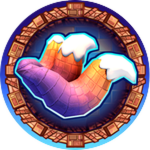
On a phone, open More, then Inventory, and use the category and subcategory menus. On a computer, open Inventory from the Roblox menu and select the category you want to browse. If you're looking for Snowcapped Brick Tails, go straight to back accessories. Roblox also files Terracotta Skyserpent there. For Brickle & Pebble, choose shoulder accessories. The two characters in its name share one catalog entry, so there is only one item to find. Roblox mobile inventory instructions.
Once you find an owned item, select it in the Avatar Editor to wear it. On mobile, the item’s wear control is available from your inventory. This also gives you a way to check the result if you missed the in-game notification. Browser Avatar Editor · Mobile avatar controls.
Which inventory category holds my item?
These are the accessory types in Roblox’s catalog. Choose an item to open its official listing on the account you played with.
-
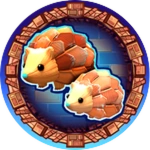
Shoulder accessory
-
-